
Hypertension eDiary3.0 - Google Play
You'll be able to see results in few seconds.
Publisher Description
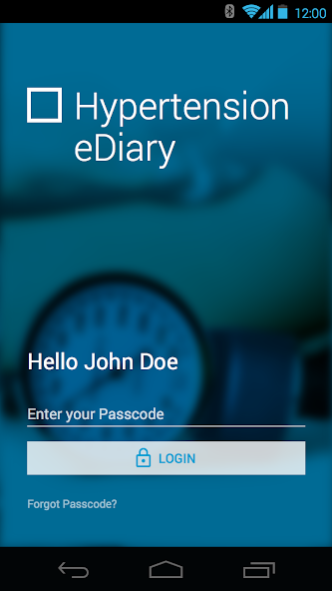
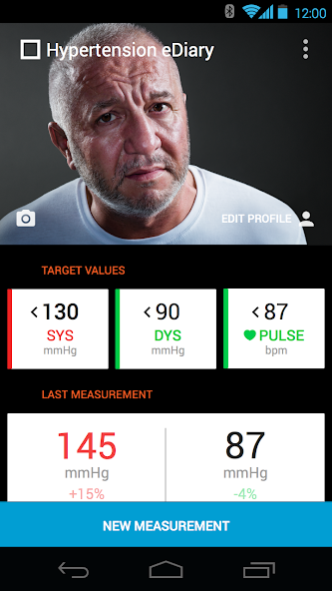
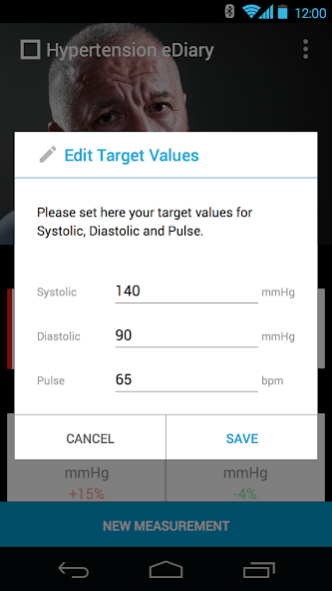

Welcome to Hypertension eDiary, an app developed in Switzerland for patients with hypertension. Hypertension eDiary helps you to manage your blood pressure numbers. The app was developed based on the latest findings in the treatment of hypertension and allows your doctor and you to set targets together and share your numbers, helping to contribute towards the success of the treatment.
Hypertension eDiary is only for logging numbers and does not include any treatment recommendations whatsoever. If you have any medical questions, please contact your own doctor or a pharmacist.
Hypertension eDiary does not store any medical data outside of your smartphone. The app is password-protected and system-independent
The Hypertension eDiary was developed on behalf of Novartis Pharma Schweiz AG and meets all data-privacy requirements. Please also note the conditions of use in the app. You can find more information on the website www.hypertension-info.ch.
Features
● Definition of target numbers based on your doctor's recommendations for systolic and diastolic
blood pressure and pulse rate.
● Optional profile creation
● Data input according to your personal measurements with external blood pressure monitors
● Display of whether your numbers are within the defined limits or are too high
● Stats on your measurements
● Logging of allergies
● Logging of your medical history
● Sharing of your numbers with your doctor by e-mail and facility to define which details are to be transmitted
● Password protection by entering any password of your choice
About Hypertension eDiary
The company that develops Hypertension eDiary is Novartis Pharma AG. The latest version released by its developer is 3.0.
To install Hypertension eDiary on your Android device, just click the green Continue To App button above to start the installation process. The app is listed on our website since 2019-04-10 and was downloaded 0 times. We have already checked if the download link is safe, however for your own protection we recommend that you scan the downloaded app with your antivirus. Your antivirus may detect the Hypertension eDiary as malware as malware if the download link to ch.achtgrad.ediary.android is broken.
How to install Hypertension eDiary on your Android device:
- Click on the Continue To App button on our website. This will redirect you to Google Play.
- Once the Hypertension eDiary is shown in the Google Play listing of your Android device, you can start its download and installation. Tap on the Install button located below the search bar and to the right of the app icon.
- A pop-up window with the permissions required by Hypertension eDiary will be shown. Click on Accept to continue the process.
- Hypertension eDiary will be downloaded onto your device, displaying a progress. Once the download completes, the installation will start and you'll get a notification after the installation is finished.
Program Details
System requirements
Download information
Pricing
Version History
version 3.0
posted on 2019-04-10
Update to Android OS 8.0.
Update all extensions.
Smaller adjustments and optimizations.
Minor corrections.
Cleanup of assets and code.
iHealth and Withings API removed.
version 2.1.407
posted on 2015-10-15
• Minor bug fixes from the previous version
Disclaimer
Official Google Play Link
We do not host Hypertension eDiary on our servers. We did not scan it for viruses, adware, spyware or other type of malware. This app is hosted by Google and passed their terms and conditions to be listed there. We recommend caution when installing it.
The Google Play link for Hypertension eDiary is provided to you by apps112.com without any warranties, representations or guarantees of any kind, so access it at your own risk.
If you have questions regarding this particular app contact the publisher directly. For questions about the functionalities of apps112.com contact us.
